
Streamlining design workflows with this advanced modeling software
ArchiCAD is a multimedia application built to help you turn rough architectural ideas into precise, technical realities. Instead of just drawing flat lines, you can expect a workspace where you build virtual structures like real-world projects. It serves as a digital workshop where every design is backed by data.
Top Recommended Alternative
As you explore ArchiCAD, you will find that it offers a highly collaborative environment. Designed specifically for architects, engineers, and other construction professionals, this software shares many fundamental similarities with Autodesk Revit, as both platforms utilize Building Information Modeling to streamline the construction process.
From sketch to structure
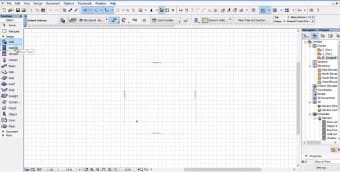
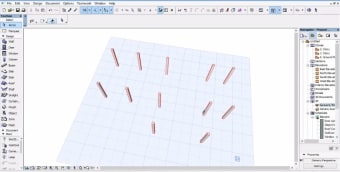
ArchiCAD acts as an all-in-one workspace where you can draw, plan, and manage every detail of a building. Its main job is to replace simple sketches with objects that represent real-world building elements. With its automated syncing between 2D plans and 3D views, it helps to prevent drafting errors. This tool keeps everything tidy and professional from your first rough concept to the final blueprint.
The software helps students by offering an intuitive learning curve for mastering spatial relationships and structural integrity. For educators, the platform simplifies the process of demonstrating architectural theories through interactive 3D visualizations and automated scheduling. Educational and corporate institutions also benefit, as the system allows multiple users to work on the same file simultaneously. Its collaborative setup allows everyone to adapt to the fast-paced reality of modern design offices.
Advanced rendering capabilities and automated documentation further enhance your workflow by generating elevations and sections directly from the model. These features save you hours of manual work, since you won't have to redraw the same thing from different angles. However, the software demands high processing power and RAM since it handles large, data-heavy files. Furthermore, beginners may face a steep learning curve due to the depth of tools available.
Sophisticated design solution
Deciding to use ArchiCAD often comes down to matching your project goals with your computer's actual power. It offers a practical way to manage complex designs through its automated syncing and teamwork features. If you have the right hardware to support it, the platform serves as a steady, capable partner for your design journey. Overall, it's a solid, professional solution for digital drafting.